
We have prepared a chart based on Roman Numerals from 1 to 10,000 for kids. It contains 1 page. You can download the PDF below,
Download: Roman Numerals Chart: 1 – 10,000
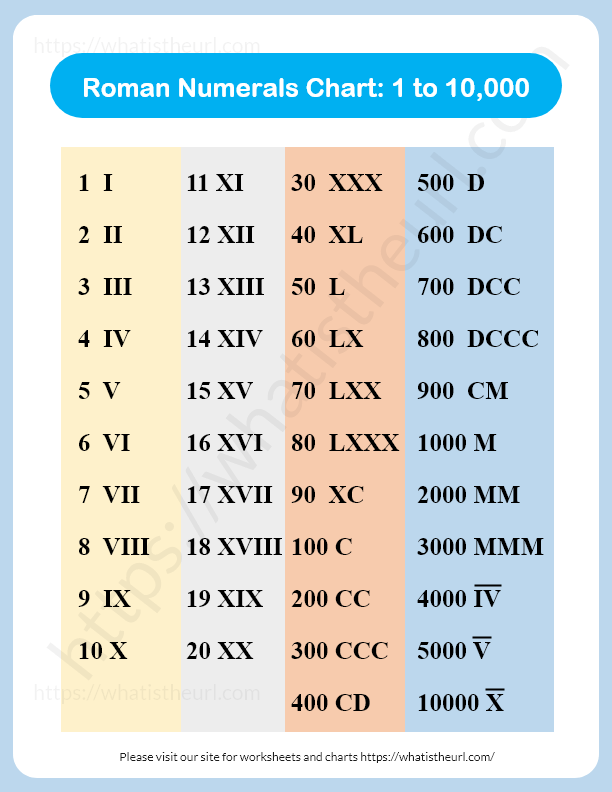
Roman Numbers
The following is the textual roman numbers, so you can copy and use it in your own worksheet or PPT.
1 – I
11 – XI
30 – XXX
500 – D
2 – II
12 – XII
40 – XL
600 – DC
3 – III
13 – XIII
50 – L
700 – DCC
4 – IV
14 – XIV
60 – LX
800 – DCCC
5 – V
15 – XV
70 – LXX
900 – CM
6 – VI
16 – XVI
80 – LXXX
1000 – M
7 – VII
17 – XVII
90 – XC
2000 – MM
8 – VIII
18 – XVIII
100 – C
3000 – MMM
9 - IX
19 - XIX
200 - CC
4000 -  IV̅ (IV with a line over it)
10 – X
20 – XX
300 – CCC
5000 – V̅ (V with a line over it)
400 – CD
10000 – X̅ (X with a line over it)
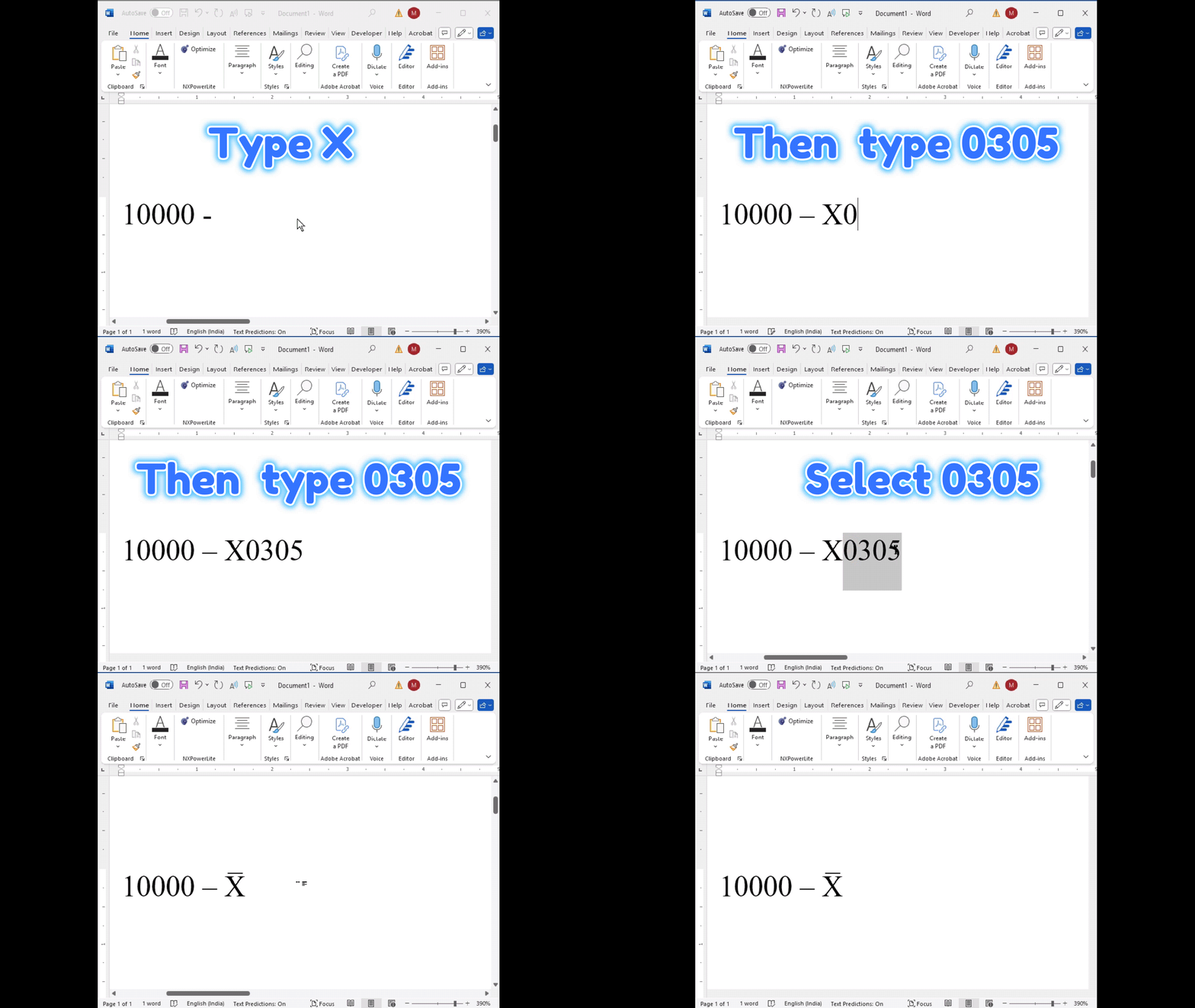
Writing 10,000 in Roman Numerals (X̅) in Microsoft Word
Using the Combining Overline Character (U+0305)
- Type the Roman numeral base letter
- For 10,000, type X.
- For 50,000, type L.
- For 100,000, type C, and so on.
- Insert the Combining Overline
- Immediately after the letter, type
0305.With your cursor just after the letter and before any space, press Alt + X.
- Type
X0305, then press Alt + X → it turns into X̅.
- Immediately after the letter, type
- Choose a font that renders well
- Calibri works best — the overline sits neatly above the character.
- Times New Roman and Arial Unicode MS also work, but spacing may vary slightly.
- Result
- X̅ = 10,000
- L̅ = 50,000
- C̅ = 100,000
How to type 10000 in Roman Numeral inside MS Word
One Response
Good evening! Thanks for the chart.Can I have worksheets for grades 4 and 6,Science subject.Again, R thank you. God bless.