Bubble Letters
Free bubble letter generator. Type a name or word, pick a style, then print it to color in — or put it inside a cloud.
How to make bubble letters with this generator
- Type your text. A name, a word, a short message — press Enter to start a new line. The quick buttons fill in the whole alphabet or the numbers 0–9.
- Pick a style. Start from one of the ready-made styles, or choose a font and use the sliders above the preview to make the letters puffier, rounder or more spaced out.
- Print or download. Print straight to US Letter or A4, or tick One letter per page to get big letters for a bulletin board. You can also save a PNG image or an SVG file.
Everything happens in your browser. There is nothing to install, no account to create, and the generator is free.
What are bubble letters?
Bubble letters are fat, rounded letters that look as if they have been blown up like balloons. Each letter is drawn as a thick outline with soft corners and an empty middle, which is why they are so popular for coloring in. You will see them on classroom bulletin boards, birthday banners, posters, notebook covers and in graffiti art. Their close cousin is block letters, which have the same thick outline but square corners — switch Corners to Square above to make them.
How to draw bubble letters by hand
The generator draws letters the same way you would with a pencil. If your students want to try it themselves, these four steps work for any letter:
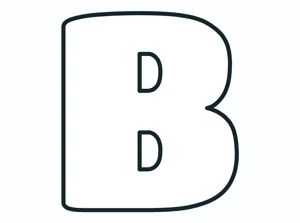
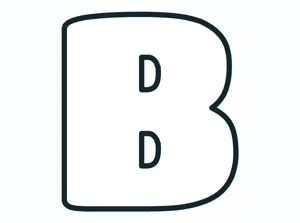
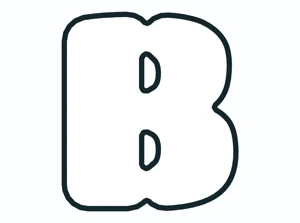
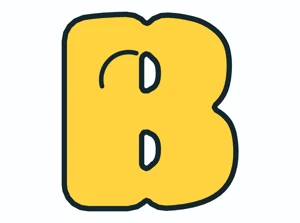
Round letters such as O, C and S are the easiest to start with. Letters with gaps, like E, M and W, need a little more care so the gaps stay open — the generator does this for you automatically.
Ideas for the classroom and at home
- Bulletin board headings. Print one letter per page, let students color them, and staple the letters up as the title of your board.
- Name tags and desk plates. Type each student’s name and print a page of names to color on the first day of school.
- Birthday and holiday banners. Try Happy Birthday with the Party style, or put a name inside a cloud.
- Coloring pages. White bubble letters make an easy coloring page. Try the Stitched effect for a sewing-card look, or 3D for older kids.
- Posters and projects. Download a PNG for slides and school projects, or an SVG to cut out with a craft cutting machine.
- Letter recognition. Younger children can trace around each bubble letter with a finger or fill it with dot markers while saying the letter’s name and sound.
Printing tips
- For a bulletin board, tick One letter per page — every letter fills a whole sheet.
- Print on card stock if the letters will be cut out and handled.
- Choose the White fill for coloring, and a thicker outline if young children will be using crayons.
- Use Copy link to save your design and open it again later exactly as you left it.
Frequently asked questions
Is the bubble letter generator free?
Yes. It is free to use, with no sign-up and no watermark on your printouts.
Can I print one letter per page?
Yes. Tick One letter per page next to the Print button. Each letter prints on its own page, centered and as large as the paper allows.
Which font is best for coloring?
The fonts in the Heavy group, such as Titan One and Bowlby One, give the classic fat bubble shape with plenty of room to color. The Bold fonts are thinner and are the ones to choose for the bumpy, popcorn-style edge.
What is the difference between bubble letters and block letters?
Both are thick outline letters. Bubble letters have soft, rounded corners; block letters have straight edges and sharp corners. Switch Corners between Round and Square to see both.
Can I use the letters in my classroom?
Yes — the letters you make are yours to print and use in class, at home and in school projects. All the fonts are open-licensed.
More printable letters
- A to Z Do-A-Dot Worksheets — big letters to fill with dot markers
- Alphabet Handwriting Practice
- Cursive Alphabet Chart
- Christmas Coloring Pages for Kids